GUIDE // KEYS + CUSTODY
Protecting your bitcoin from wallet drains
How drains actually happen, and the habits that stop them. Your words never leave the paper.
A "drain" is when someone moves your bitcoin out of your wallet without your real consent. In almost every case on Bitcoin, the code works exactly as designed. The attacker either gets your seed words, gets you to send coins to the wrong address, or gets you to sign a payment yourself.
That is good news. It means most drains are stopped by a few habits, not by being a security expert.
Progress // Step 01 of 09
Saved on this device only
- 01 HOW DRAINS HAPPEN
- 02 THE DEVICE
- 03 THE WORDS
- 04 THE SCREEN
- 05 TEST FIRST
- 06 PASSPHRASE
- 07 LARGER AMOUNTS
- 08 PEOPLE
- 09 IF IT HAPPENS
Nearly every drain is one of these. None of them breaks Bitcoin. All of them go around you.
- Seed-phrase phishing. Something asks for your 12 or 24 words: a fake wallet app, a fake browser extension, a fake "wallet sync" or "validation" page, an email from "support", or a letter in the post with a QR code. Anything that asks for the words is the attack.
- 2025: macOS malware replaced a real hardware-wallet companion app with a clone that showed a fake "critical error" and asked for the 24 words (Moonlock, May 2025).
- 2025–2026: printed letters impersonating hardware-wallet makers told owners to scan a QR code and "validate" their device by entering the recovery phrase (Ledger-branded, April 2025; Trezor-branded with a 15 February 2026 deadline).
- June 2025: attackers abused a wallet maker's support contact form so that phishing emails arrived from the maker's real support address (Trezor alert, June 2025).
- Photos and files of the seed. Malware now reads pictures. SparkCat, found in apps on both Google Play and Apple's App Store, used text recognition to search phone galleries for screenshots of seed phrases (Kaspersky, February 2025). A photo, a note or a cloud file is a copy you do not control.
- Address swaps: clipboard malware and address poisoning.
- Clipboard malware ("clippers") watches what you copy. When you copy a bitcoin address, it pastes the attacker's instead. MassJacker, spread through pirated software, held over 778,000 attacker addresses (CyberArk, March 2025).
- Address poisoning plants a look-alike address in your transaction history by sending you a tiny amount from it. The fake matches the start and end of an address you used. Copy it from history later and the coins go to the attacker. Researchers counted almost 48,000 likely poisoning transactions on Bitcoin between July 2023 and January 2025 (Lopp, April 2025).
- Both attacks depend on people checking only the first and last few characters.
- Fake or tampered hardware wallets. A device bought second-hand or from a marketplace can come pre-set with words the seller already knows, or with modified firmware. In June 2025 a buyer lost funds after using a tampered "cold wallet" bought through a shop on a Chinese social-media app (reported by security firm SlowMist). A device that arrives with words already printed or already set up is not yours.
- Fake firmware updates. Real updates come through the maker's own app and are signed, so the device can reject a tampered one. A real update never asks you to type your words into the computer. Malicious firmware is a known risk in principle: the "Dark Skippy" research (August 2024) showed how bad firmware could leak a seed through ordinary-looking signatures. It was a demonstration, not an attack seen in the wild.
- Social engineering and fake recovery services. Someone poses as an exchange, a wallet maker, the police or a "recovery expert". They are patient and they sound official.
- 19 August 2025: a holder lost 783 BTC after scammers impersonated exchange and hardware-wallet support (reported by ZachXBT, covered by CoinDesk and Decrypt).
- 10 January 2026: a victim lost 1,459 BTC in a hardware-wallet social-engineering scam (ZachXBT, CoinDesk).
- Victims who already lost coins are targeted again by fake "recovery" firms and fake law firms that ask for an upfront fee (FBI warning, August 2025). No legitimate agency charges you to get coins back.
- Customer-data leaks feed these scams: names, emails and home addresses make a fake message or letter believable (e.g. Coinbase's May 2025 disclosure that bribed support staff copied customer data).
- SIM swaps against exchange accounts. An attacker talks your mobile carrier into moving your number to their SIM, then uses text-message codes to reset your email and exchange logins. This hits coins held on exchanges and any account that trusts SMS (FBI guidance; US FCC rules from 2023).
- Physical "$5 wrench" attacks. Someone threatens you in person to make you unlock a wallet. Reported attacks hit a record in 2025: about 70 in Jameson Lopp's public log and 72 by CertiK's count, many in Europe. The January 2025 kidnapping of a hardware-wallet company co-founder in France was the most widely reported. Many cases are never reported.
Bonus: weak keys and brainwallets. A wallet made from a phrase you made up, or from a weak random number generator, can be guessed by computers. Studies of "brainwallets" found nearly all funded ones were emptied, often within minutes or hours (Vasek et al.; Castellucci, 2015). In August 2025 analysts reported that 127,426 BTC was taken from mining pool LuBian back in December 2020, apparently because its keys were generated with weak randomness (Arkham; Milk Sad research team). Only use words your wallet generated.
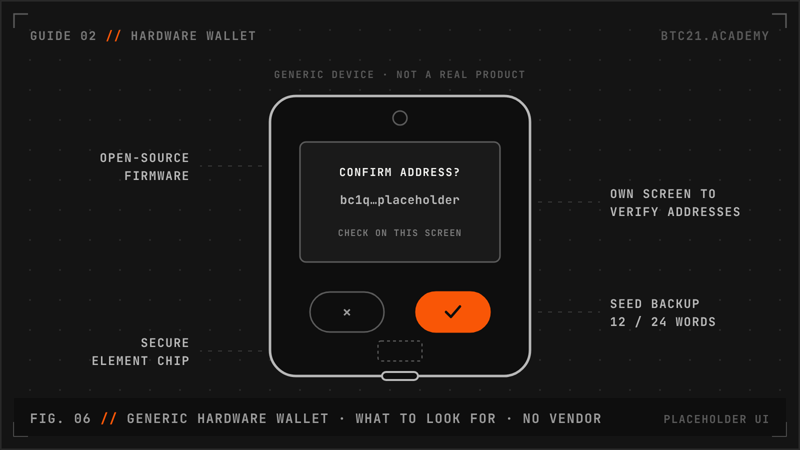
For amounts you would hate to lose, keep the keys on a hardware wallet. Buy it new, from the maker or a reseller listed on the maker's own site. Never buy second-hand, and never from a marketplace or social-media shop. Set it up yourself and let the device generate the words. If the box contains a card with words already printed, or the device is already set up, stop. Install the companion app only from the maker's official site, typed by hand, not from an ad or a search result. Update firmware only through that app, and only when you started the update.
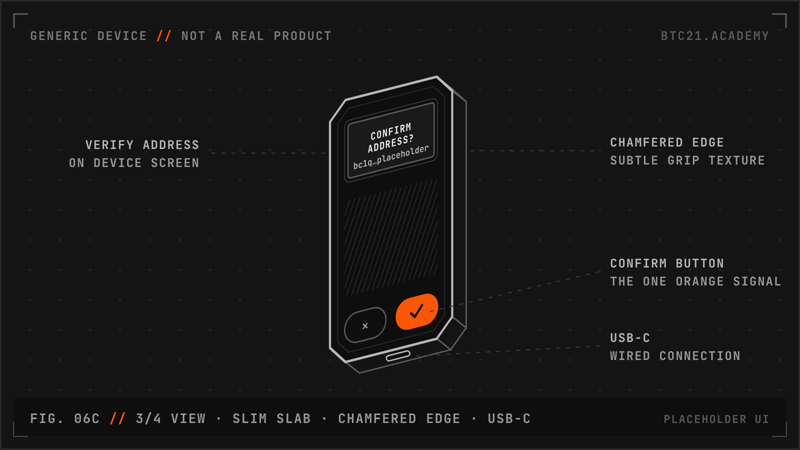
Your 12 or 24 words are written by hand on paper or metal, and they stay there. Never store them in any digital form: no photo, screenshot, cloud note, password manager, email, chat or text file. Never type a hardware wallet's words into a phone, computer or website. The only place they are ever entered is the hardware wallet itself, during a recovery you started. To test your backup, restore on the same kind of device, or use the device's own backup check if it has one. No update, sync, validation, airdrop or support case ever needs your words. If anything asks for them, that is the attack.
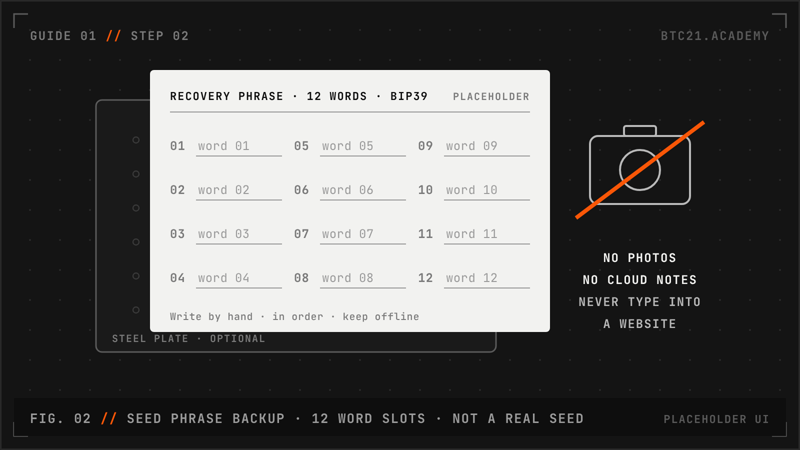
Your computer can lie, and your clipboard can be swapped. The hardware wallet's own screen is the one you trust. Before you approve a payment, compare the whole address on the device screen with the address you meant to pay, character by character in groups, middle included, not just the start and end. Check the amount too. When you receive, read the receive address on the device as well. Never copy an address from your transaction history. Save people you pay often as labelled contacts, and use a fresh receive address each time.
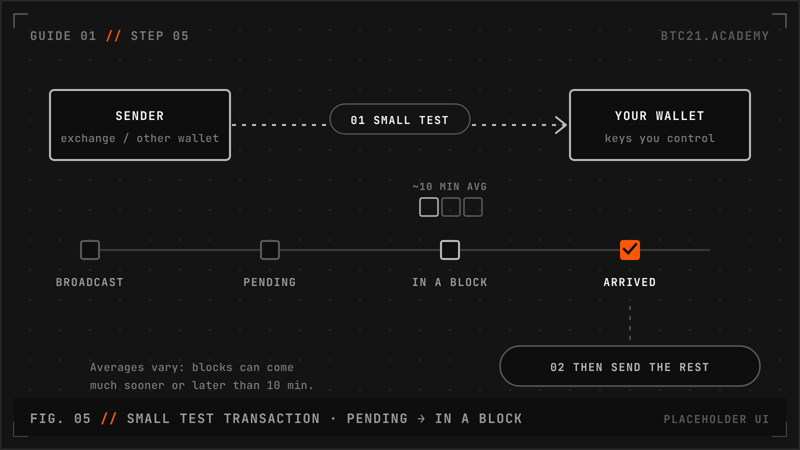
For any new address, or any large amount, send a small test first and confirm with the recipient, through a channel you already trust, that it arrived. Then send the rest, checking the whole address on the device again. A test costs one extra fee. A wrong address costs everything you sent, because a confirmed Bitcoin payment cannot be reversed.
A BIP39 passphrase, often called the "25th word", is an extra secret you add to your seed. The same words with a different passphrase open a completely different wallet. So someone who finds or photographs your words alone gets the wallet without the passphrase, which can be empty.
What it does well:
- It protects you if your paper or metal backup is found, stolen or photographed.
- It lets you keep a small "decoy" wallet on the words alone and your main funds behind the passphrase.
What it does not do:
- It does not help if you type both the words and the passphrase into malware or a fake app. They get both.
- It does not stop you approving a payment to the wrong address.
What it costs:
- Lose the passphrase and the funds are gone for good. There is no reset. Every passphrase opens some wallet, so a typo quietly opens a different, empty one rather than showing an error.
- It must be strong: long and random, not a name, date, quote or song lyric. Computers can try short passphrases quickly if they already have your words.
- Store it separately from the words, in a different place. Together they are the whole secret.
- Test that you can restore with both, on the same kind of device, before you put real funds behind it.
For larger amounts, a multisig wallet (for example 2-of-3) needs more than one key to spend. One stolen seed, one phished device or one burglary is no longer enough. Keep the keys in different places, ideally on devices from different makers, so one faulty or tampered device cannot sign alone. Multisig adds work: you must back up the wallet descriptor as carefully as the seeds, because without it the wallet may not be able to find your coins. Rehearse a recovery before you rely on it.
Real support does not message you first. Treat any unexpected email, letter, call, text or direct message about your wallet as hostile, even if it uses your name, your address and the right logo, because leaked customer data makes fakes convincing. Do not scan QR codes from letters. Find the maker's contact details yourself and start the conversation yourself. Do not post about your holdings, and do not wear or show anything that says you hold a lot. For exchange accounts, use an authenticator app or a hardware security key instead of text messages, and ask your mobile carrier for a SIM or port-out lock.
Physical safety: if someone threatens you in person, your life matters more than any amount of bitcoin. Coins can be replaced and you cannot. A passphrase decoy wallet and multisig with keys in other places mean less is reachable under pressure. Telling a stranger you "have no access" is not something to rely on.
Act quickly and calmly. If your words or passphrase may have been seen, typed or photographed, treat them as burnt.
- On a hardware wallet you trust (bought new from the maker), create a brand-new wallet with new words. Do not reuse the old words, and do not just add a passphrase to them.
- Write the new words by hand and check the backup before moving anything.
- Send everything from the old wallet to a new receive address, reading the whole address on the device screen.
- Never type the old words into anything to "check" them. If you suspect the device itself, stop using it.
- If coins are already gone, report it to the police and keep the transaction details. Then expect "recovery experts" to contact you. They are a second scam. No real agency charges a fee to recover funds.
Myth vs fact
| Myth | Fact |
|---|---|
| "A hardware wallet means I can't be drained." | It keeps keys off your computer. It does not stop you typing the words into a fake app or approving a swapped address. |
| "Checking the first and last characters is enough." | Address-poisoning and clipboard attacks make look-alikes that match both ends. Compare the whole address. |
| "A photo or password-manager copy of my seed is safe if it's encrypted." | Any digital copy can be copied without you knowing. Malware already reads seed phrases from phone photos. Paper or metal only. |
| "Support needs my seed to fix the problem." | No real support ever needs your words. Anyone who asks is the attacker. |
| "A firmware update or 'wallet validation' asks for my words." | Real updates never ask you to type the words. That screen is fake. |
| "A passphrase makes me safe from everything." | It protects stolen words. It does not protect you if you type words and passphrase into malware, and losing it loses the funds. |
| "Someone can recover my stolen bitcoin for a fee." | Confirmed Bitcoin payments cannot be reversed. Paid "recovery" offers are a known second scam. |
| "A phrase I made up is a strong wallet." | Human-chosen phrases are guessed by computers. Use the words your wallet generated. |
Sources
Seed phishing, fake apps, letters, fake support
- Moonlock, "Malware spread via fake Ledger apps is emptying crypto wallets" (May 2025)
- BleepingComputer, "Hackers use fake Ledger apps to steal Mac users' seed phrases" (2025)
- Ledger Support, "Physical Mail Phishing Scam"
- The Block, "Ledger confirms physical scam letters…" (30 Apr 2025)
- BleepingComputer, "Snail mail letters target Trezor and Ledger users…" (Feb 2026)
- The Block, "Trezor issues phishing alert after attackers abuse support contact form" (23 Jun 2025)
Seed photos
Address swaps
- Jameson Lopp, "Bitcoin Address Poisoning Attacks" (6 Apr 2025)
- Tsuchiya et al., "Blockchain Address Poisoning", USENIX Security 2025
- CyberArk, "Captain MassJacker Sparrow" (Mar 2025)
Tampered devices and firmware
- Kaspersky, fake hardware wallet investigation (2023)
- PANews, SlowMist CISO on the tampered cold wallet bought on Douyin (June 2025)
- Dark Skippy disclosure (Aug 2024) and mitigations
- Trezor, "Update Trezor firmware"
Social engineering, recovery scams, data leaks
- CoinDesk, "Victim loses $91M in bitcoin after social engineering scam" (21 Aug 2025)
- CoinDesk, "Hacker steals $282 million crypto from a victim in social-engineering attack" (16 Jan 2026)
- FBI / IC3 PSA, "Fictitious law firms targeting cryptocurrency scam victims…" (13 Aug 2025)
- Coinbase Form 8-K (15 May 2025)
SIM swaps
- FBI, "Tech Tuesday: SIM swapping"
- US FCC, "Protecting Consumers from SIM-Swap and Port-Out Fraud" (Federal Register, 8 Dec 2023)
Physical attacks
- The Block, "A record year for wrench attacks" (1 Jan 2026)
- Decrypt on CertiK's 2025 wrench-attack report
- Chainalysis, "2025 Crypto Crime Mid-Year Update"
- Reuters, Ledger co-founder kidnapping (24 Jan 2025)
Weak keys and brainwallets
- Vasek, Bonneau, Castellucci, Keith, Moore, "The Bitcoin Brain Drain" (FC 2016)
- Castellucci, "Cracking Cryptocurrency Brainwallets" (DEF CON 23, 2015)
- CoinDesk on Arkham's LuBian findings (2 Aug 2025)
- Milk Sad research update #14 (LuBian)
Passphrase, backups, multisig
No invented stats.